Home

VAST DB Python SDK
A Python SDK for seamless interaction with VAST Database and VAST Catalog. Enables powerful data operations including:
Schema and table management
Efficient data ingest and querying
Advanced filtering with predicate pushdown
Direct integration with PyArrow and DuckDB
File system querying through VAST Catalog
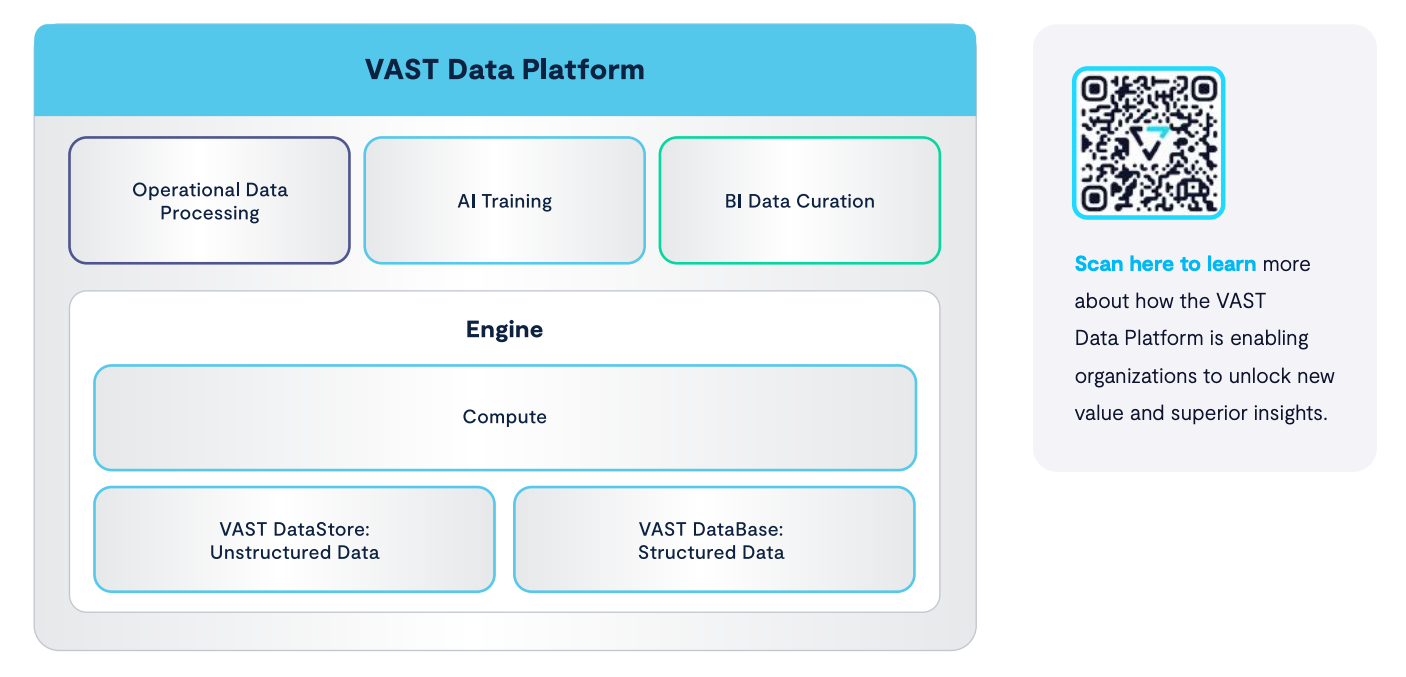
For technical details about VAST Database architecture, see the whitepaper.
Getting Started
Requirements
Linux client with Python 3.9 - 3.12, and network access to the VAST Cluster
Required VAST Cluster release
VAST DB Python SDK requires VAST Cluster release 5.0.0-sp10 or later.
If your VAST Cluster is running an older release, please contact customer.support@vastdata.com.
Installation
pip install vastdb
See the Release Notes for the SDK.
Quick Start
Create schemas and tables, basic inserts, and selects:
import pyarrow as pa
import vastdb

session = vastdb.connect(
    endpoint='http://vip-pool.v123-xy.VastENG.lab',
    access=AWS_ACCESS_KEY_ID,
    secret=AWS_SECRET_ACCESS_KEY)

with session.transaction() as tx:
    bucket = tx.bucket("bucket-name")

    schema = bucket.create_schema("schema-name")
    print(bucket.schemas())

    columns = pa.schema([
        ('c1', pa.int16()),
        ('c2', pa.float32()),
        ('c3', pa.utf8()),
    ])
    table = schema.create_table("table-name", columns)
    print(schema.tables())
    print(table.columns())

    arrow_table = pa.table(schema=columns, data=[
        [111, 222, 333],
        [0.5, 1.5, 2.5],
        ['a', 'bb', 'ccc'],
    ])
    table.insert(arrow_table)

    # run `SELECT * FROM t`
    reader = table.select()  # return a `pyarrow.RecordBatchReader`
    result = reader.read_all()  # build an PyArrow Table from the `pyarrow.RecordBatch` objects read from VAST
    assert result == arrow_table

    # the transaction is automatically committed when exiting the context
For configuration examples, see here.
The list of supported data types can be found here.
Note: the transaction must be remain open while the returned pyarrow.RecordBatchReader generator is being used.
Use Cases
Filters and Projections
The SDK supports predicate and projection pushdown:
    from ibis import _

    # SELECT c1 FROM t WHERE (c2 > 2) AND (c3 IS NULL)
    table.select(columns=['c1'],
                 predicate=(_.c2 > 2) & _.c3.isnull())

    # SELECT c2, c3 FROM t WHERE (c2 BETWEEN 0 AND 1) OR (c2 > 10)
    table.select(columns=['c2', 'c3'],
                 predicate=(_.c2.between(0, 1) | (_.c2 > 10))

    # SELECT * FROM t WHERE c3 LIKE '%substring%'
    table.select(predicate=_.c3.contains('substring'))
Import a single Parquet file via S3 protocol
You can efficiently create tables from Parquet files (without copying them via the client):
    with tempfile.NamedTemporaryFile() as f:
        pa.parquet.write_table(arrow_table, f.name)
        s3.put_object(Bucket='bucket-name', Key='staging/file.parquet', Body=f)

    schema = tx.bucket('bucket-name').schema('schema-name')
    table = util.create_table_from_files(
        schema=schema, table_name='imported-table',
        parquet_files=['/bucket-name/staging/file.parquet'])
Import multiple Parquet files concurrently via S3 protocol
Import multiple files concurrently into a table (by using multiple CNodes’ cores):
    schema = tx.bucket('bucket-name').schema('schema-name')
    table = util.create_table_from_files(
        schema=schema, table_name='large-imported-table',
        parquet_files=[f'/bucket-name/staging/file{i}.parquet' for i in range(10)])
Semi-sorted Projections
Create, list and delete available semi-sorted projections:
p = table.create_projection('proj', sorted=['c3'], unsorted=['c1'])
print(table.projections())
print(p.get_stats())
p.drop()
Snapshots
You can access the VAST Database using snapshots:
snaps = bucket.list_snapshots()
batches = snaps[0].schema('schema-name').table('table-name').select()
Post-processing
Export
Table.select() returns a stream of PyArrow record batches, which can be directly exported into a Parquet file:
batches = table.select()
with contextlib.closing(pa.parquet.ParquetWriter('/path/to/file.parquet', batches.schema)) as writer:
    for batch in table_batches:
        writer.write_batch(batch)
DuckDB Integration
Use DuckDB to post-process the resulting stream of PyArrow record batches:
from ibis import _

import duckdb
conn = duckdb.connect()

with session.transaction() as tx:
    table = tx.bucket("bucket-name").schema("schema-name").table("table-name")
    batches = table.select(columns=['c1'], predicate=(_.c2 > 2))
    print(conn.execute("SELECT sum(c1) FROM batches").arrow())
Note: the transaction must be active while the DuckDB query is executing and fetching results using the Python SDK.
VAST Catalog
The VAST Catalog can be queried as a regular table:
import pyarrow as pa
import vastdb

session = vastdb.connect(
    endpoint='http://vip-pool.v123-xy.VastENG.lab',
    access=AWS_ACCESS_KEY_ID,
    secret=AWS_SECRET_ACCESS_KEY)

with session.transaction() as tx:
    table = tx.catalog().select(['element_type']).read_all()
    df = table.to_pandas()

    total_elements = len(df)
    print(f"Total elements in the catalog: {total_elements}")

    file_count = (df['element_type'] == 'FILE').sum()
    print(f"Number of files/objects: {file_count}")

    distinct_elements = df['element_type'].unique()
    print("Distinct element types on the system:")
    print(distinct_elements)
More Information
See these blog posts for more examples:
https://vastdata.com/blog/the-vast-catalog-in-action-part-1
https://vastdata.com/blog/the-vast-catalog-in-action-part-2
See also the full Vast DB Python SDK documentation